REVIEW · VENICE
Venezia Audioguide – TravelMate app for your smartphone
Book on GetYourGuide →Operated by MyWoWo Srl · Bookable on GetYourGuide
Venice gets easier with your own audio guide. This TravelMate app lets you wander at your pace while a professional-style voice fills in the what-and-why behind major sights, plus local food and even a few quizzes. I especially like that it’s self-guided on your smartphone, so you don’t need to line up for anything or carry paper vouchers.
Two things I really love: first, there’s no meeting point and no paper ticket hunt—download, activate, and start where you are. Second, the guide doesn’t expire after you buy it; you can replay the audio as many times as you want during its long validity window.
One consideration: the content is meant for orientation, but one piece of feedback points to possible mistakes in specific numbers (example: step counts). So I’d treat it as a helpful guide, not as strict fact-check material for trivia-heavy details.
In This Review
- Key highlights worth knowing before you download
- A smartphone audioguide that fits Venice’s real rhythm
- What 85 audio tracks really means for your day
- The big sightseeing list: how each stop helps you shape your route
- Venice introduction and cuisine: start with the vibe
- Accademia Gallery and the Arsenal: culture and craft
- Basilicas, monuments, and the “big names” loop
- Biennale and museums: choose your pace
- La Fenice and Marciana: theatre and libraries
- Cà D’Oro and Cà Rezzonico: homes that tell stories
- Murano: island time without getting trapped
- Bridges and squares: small anchors that keep you oriented
- The Ghetto: a later-day reflection stop
- Offline audio in Venice: when it matters and how to use it
- Languages and how to choose what you’ll actually use
- The reality check: accuracy can be mixed, especially with numbers
- Price and value: why $6 can be a smart buy
- Logistics that keep your day easy (no ticket pickup)
- Wheelchair accessibility: what you should expect
- Who this audioguide is best for
- Should you book Venezia Audioguide on TravelMate?
- FAQ
- Is there a meeting point for this audio guide?
- How much does the Venezia Audioguide cost?
- How long is the audio guide valid after activation?
- Can I use the audio guide offline?
- Is there a way to read the audio content in the app?
- How many audio segments are included?
- What languages are available in the audio guide?
- Does the app include anything besides audio?
- Where do I find my activation code?
Key highlights worth knowing before you download

- 85 audio segments, 255 minutes total: enough material to shape a real visit, not just a quick drive-by.
- Works offline or online: you can keep listening even with spotty Venice data coverage.
- Text option in the app: if you prefer reading, you can follow along with the audio files.
- Long validity: 1095.5 days: you’re paying for repeat access, not a one-day rental.
- Quiz section: quick questions help you keep track without turning the day into homework.
- Multiple languages included: Chinese, English, French, German, Italian, Russian, Spanish.
A smartphone audioguide that fits Venice’s real rhythm

Venice doesn’t reward a rigid plan. Streets twist. Water taxis wait when they feel like it. You’ll stop for a photo, then detour because something smells like good espresso. That’s exactly where a phone-based audio guide makes sense.
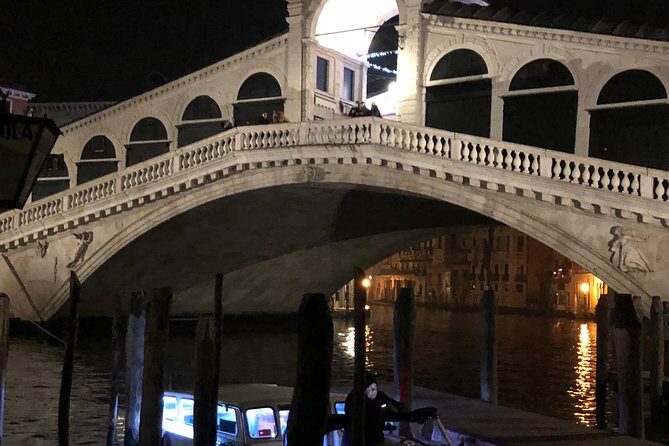
With Venezia Audioguide (TravelMate), you create your own flow. Instead of following a group, you listen as you move between highlights like St. Mark’s, the Grand Canal, Rialto Bridge, and stops across the islands and neighborhoods. It’s not a “press play and walk in a straight line” kind of experience. It’s more like having a knowledgeable companion in your pocket who keeps talking while you decide when to slow down.
And there’s a practical peace-of-mind angle here too. You use your own phone and you can use your own earphones. The activity notes even point out that it helps avoid touching third-party devices. In a city where you’re already handing over cash, tickets, phones, and paper, that matters.
You can also read our reviews of more tours and experiences in Venice



What 85 audio tracks really means for your day
The app includes 85 audio content pieces, with 255 minutes total. That number is important because it changes how you can use the guide.
If you listen to everything straight through, you’ll likely spend several hours doing so. But in real life, you won’t. You’ll break it up: a segment while crossing a bridge, another near a museum exterior, then a longer stretch when you finally sit down. This structure lets you build a day that feels complete without feeling chained to a schedule.
The content lineup also gives you more than “look at this” commentary. It includes:
- An intro to Venice
- Wonders of local cuisine
- City highlights tied to specific places such as Doge’s Palace, La Fenice, and Murano
- A wider sweep that goes beyond the postcard zone, including places like The Ghetto and schools in Dorsoduro/Castello areas (the guide lists Scuola Grande di San Rocco and other school sites)
I like guides that give you both the iconic and the in-between. When you only cover big names, Venice can start to feel like a photo album. When you mix in smaller “context stops,” the city starts to feel lived-in—even when you’re still mostly walking tourist loops.
The big sightseeing list: how each stop helps you shape your route

You get audio for a set of major points of interest. Since the guide is self-guided, you’re really using these stops like chapters. You can hit all of them over multiple days, or cherry-pick based on your interests.
Here’s how each listed area can fit into a practical visit:
Venice introduction and cuisine: start with the vibe
Before you get lost in architecture details, the app’s Venice introduction is useful for setting expectations—how to look at canals, bridges, and the city’s layout. Then the segment on local cuisine is a smart addition. Food audio is one of the easiest ways to feel grounded in daily life rather than only monuments.
Tip for using this well: listen to the introduction early in your day, while Venice is still new to you. Save the cuisine audio for a time when you’re choosing what to eat next, so it becomes actionable.
Accademia Gallery and the Arsenal: culture and craft
The list includes Accademia Gallery and Arsenal. Even if you don’t spend long inside every building, these segments can help you understand what you’re looking at when you pause nearby. The value here is orientation: you’re not just passing by—you’re building context.
If you’re the type who likes art or maritime history, you may find yourself extending the time you spend at these spots. If not, you can keep it light and use the audio to decide whether to step inside.






Basilicas, monuments, and the “big names” loop
You’ll see several major church and monument entries, including Basilica of the Friars, St. Mark’s, San Sebastiano, and San Zanipolo. These are the kinds of stops where audio can do more than describe. It can help you spot patterns: what makes the area feel distinct and why people keep returning to the same kinds of places.
Also on the list:
- The Doge’s Palace
- Grand Canal
- Rialto Bridge
These are the magnets. Having audio for them means you can pause your phone scrolling and actually get a story in your head while the views are in front of you.
Biennale and museums: choose your pace
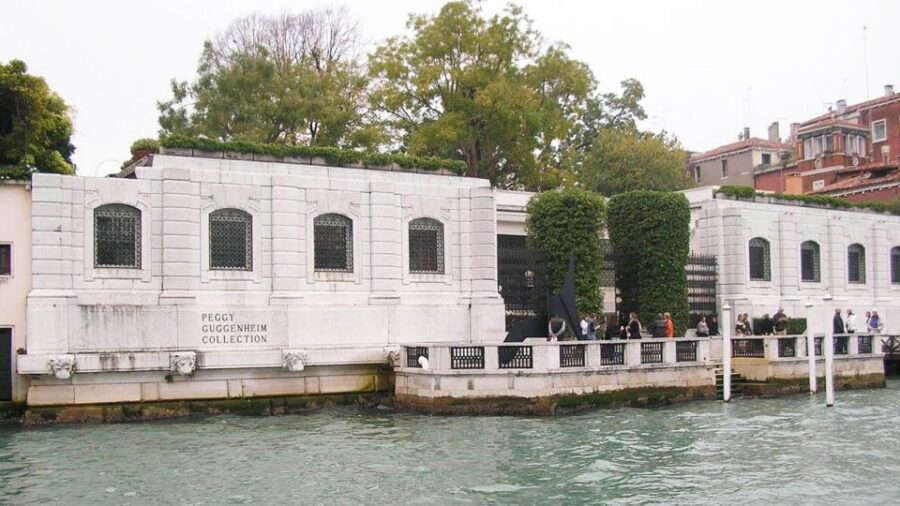
The guide includes Biennale, Correr Museum, and Guggenheim. That trio points to a real possibility for how you spend your day:
- If you like museums, you can string these together.
- If you don’t, you can treat them as context chapters and move on.
In Venice, museum time is always a tradeoff with outdoor time, so having audio you can listen to from the outside helps you avoid the all-or-nothing problem.
La Fenice and Marciana: theatre and libraries
La Fenice Theater and Marciana Library show that the app doesn’t stop at churches and canals. If you’re curious about Venice as a place of performance and reading culture, these audio tracks can steer you toward a richer mental picture.
Practical way to use this: when you pass a grand building, take 2 minutes to listen. If you want more, then decide if you’ll return later.
Cà D’Oro and Cà Rezzonico: homes that tell stories
The app lists Cà D’Oro and Cà Rezzonico. These are the kind of Venice entries that can work beautifully with audio, because you’ll likely want something more than a quick “wow.” Even without turning every visit into a deep interior tour, a guide chapter can help you connect the dots between what you see and why it matters.
Murano: island time without getting trapped
Murano is included. Since the guide is designed for autonomy, this is ideal if you want to treat Murano as a half-day or as a planned break from the main tourist core. You can go, listen, and then decide how long you want to linger based on how the island feels to you.
Bridges and squares: small anchors that keep you oriented
You also get audio for Rialto Bridge, plus school-related stops like Scuola di S. Giorgio degli Schiavoni, Scuola Grande di San Rocco, and Scuola entries. These can be great “anchor moments” because they give you a reason to stop in less obvious areas.
Instead of walking past and forgetting, you’ll have a story to hold onto while you’re standing there.
The Ghetto: a later-day reflection stop
The Ghetto is on the list. I like including a stop like this because it helps your day feel more complete. It’s a good candidate for late afternoon, when you’re a bit tired of sprinting from view to view and ready for something more reflective.
Offline audio in Venice: when it matters and how to use it

The app supports both online and offline audio. In Venice, that flexibility is gold. You’ll be near water, between buildings, and sometimes in spots where your connection will feel… moody.
Here’s how to use this smartly:
- If you can, download content when you have stable data or Wi‑Fi before you start wandering.
- Then rely on offline once you’re out and moving.
Also, the app lets you read the text of the audio files. That’s a sneaky advantage. When you’re standing in wind or your earphones are acting up, being able to switch to text keeps you from losing the thread.
Languages and how to choose what you’ll actually use

The audio guide is available in Chinese, English, French, German, Italian, Russian, and Spanish. If you’re comfortable with more than one, pick the one that helps you think in full sentences—not the one that sounds good during travel commercials.
If you’re traveling with someone who has different language preferences, this app has a built-in solution: you can both follow using your preferred language without needing separate devices from the provider.
The reality check: accuracy can be mixed, especially with numbers

Let’s talk about the one drawback that can matter to certain people: the app’s content can include questionable details when it gets specific with numbers. A clear example cited in the feedback involves step counts for reaching the tower of St. Mark’s Basilica—the number given was apparently far off from what you might expect.
What does that mean for you?
- If you want the audio as a guide for route planning and general understanding, you’re probably fine.
- If you’re the kind of person who likes strict trivia facts, you should treat numbers as “check if you care” rather than unquestionable truth.
This is a common issue with self-contained audio packages in general: they can be very good at storytelling and still slip on exact measurements. Your best tool is your own common sense while you’re in front of the building.
Price and value: why $6 can be a smart buy

At $6 per person, this is priced like a low-friction add-on, not a premium guided tour. The value case improves fast because you’re not buying a one-time experience.
You get:
- 255 minutes of content spread across 85 segments
- 1095.5 days of validity from first activation (about three years)
- Replay access instead of a single-day rental
- Offline capability
- Text support
- A quiz section
So even if you only listen to a portion on your first Venice day, you’re likely to use the rest on another trip or another walk. That’s why the long validity matters: it lowers the pressure. You’re not thinking, I have to finish everything today.
If you’re planning a flexible trip—two or three days in Venice, with slow mornings and wandering afternoons—this price can make a lot of sense.
Logistics that keep your day easy (no ticket pickup)

There’s no meeting point. You download and start where you are.
Activation uses an activation code found either:
- in your email (via the activity details or ticket area, then reading the 10-digit number under the barcode), or
- in the GetYourGuide app (show ticket in the app, open the barcode view, then use the 10-digit code)
This matters because Venice is already complicated enough. You don’t want to spend your best daylight time hunting for where to pick up something, especially when you’d rather be walking.
One practical note: have your phone charged and ready. Earphones are recommended for a better listening experience, and you don’t want to watch the battery drop while you’re mid-bridge.
Wheelchair accessibility: what you should expect

The activity is listed as wheelchair accessible. Since this is a self-guided audio app, the main factor will be the route you choose and the practical sidewalks/bridges you run into. The guide can still be useful because you can pick which stops you want to approach based on your mobility and comfort level.
Who this audioguide is best for
This app fits best when you want:
- autonomy: you pick the order
- a voice guide that helps you stop and look
- a way to cover a lot of famous places without committing to a group tour schedule
- flexible use across multiple days, thanks to long validity
It may be less ideal if you’re looking for:
- a fully verified, numbers-perfect reference
- a live guide who can answer questions on the spot
But if your goal is to get oriented quickly and keep your day moving with context, you’ll likely enjoy it.
Should you book Venezia Audioguide on TravelMate?
If you’re asking whether it’s worth your money: at $6, it’s hard to call it a bad decision for most people. You get a large library of 85 audio segments, offline support, and the ability to replay for years. That’s a good deal for a city where you’ll keep walking long after the first plan falls apart.
I’d say go for it if you want an easy, low-stress way to understand Venice while you wander—especially if you like listening in chunks and reading along when you feel like it.
I’d hesitate only if you need strict factual precision down to exact numbers. In that case, you might still use the app for general guidance, but pair it with your own judgment while you’re at the site.
FAQ
Is there a meeting point for this audio guide?
No. You download the app and start your experience wherever you prefer.
How much does the Venezia Audioguide cost?
It’s listed at $6 per person.
How long is the audio guide valid after activation?
It’s valid for 1095.5 days from the first activation.
Can I use the audio guide offline?
Yes. The audio can be listened to online or offline.
Is there a way to read the audio content in the app?
Yes. The app lets you read the text of the audio files.
How many audio segments are included?
There are 85 audio contents, for a total of 255 minutes.
What languages are available in the audio guide?
The guide is available in Chinese, English, French, German, Italian, Russian, and Spanish.
Does the app include anything besides audio?
Yes. There’s a quiz section with short questions to help you learn while you go.
Where do I find my activation code?
You can find it in your email (under the barcode area) or inside the GetYourGuide app under the ticket details, where you can reveal the 10-digit activation code.