REVIEW · VERONA
Verona Self Guided Walking Tour with an APP
Book on GetYourGuide →Operated by Trippy Tour Guide · Bookable on GetYourGuide
Verona hits different when you can choose your pace. This self-guided app tour guides you through the big Verona icons and a few stops you might otherwise miss, with over 20 audio narration points as you walk. I like that it keeps things practical and simple while still connecting the sights to stories you can actually use.
My favorite part is getting to the Roman Arena with audio that helps you look past the obvious. The other win is the route covers romance and viewpoints in one loop, so your 3 hours feel full without feeling rushed. The main drawback is also the biggest one: if the app doesn’t load smoothly (or your phone dies), you’re on your own.
In This Review
- Key points I’d plan around
- Verona, on your terms: what this app tour really gives you
- Roman Arena: the amphitheatre stop built for scale and awe
- Historic square and market streets: your fast route to orientation
- Juliet’s balcony and Romeo’s Verona romance: why the story matters
- Hilltop sunset views over the Adige: the payoff for staying on route
- Tower panoramas: the skyline reality check
- How the app experience works (and how to avoid the common headaches)
- Timing and pacing: how 3 hours can feel full (not frantic)
- Price and value: is $9 actually a bargain?
- Who this Verona walk suits best
- Should you book this Verona app tour?
- FAQ
- How long is the Verona self-guided walking tour on the app?
- What’s included in the $9 price?
- Which languages are available for the audio guide?
- Do I need headphones and a charged phone?
- How do I start the tour when I arrive in Verona?
- Can I control the audio while I’m walking?
Key points I’d plan around
- Over 20 narration points let you follow the route with audio prompts instead of constant phone checking
- 6 languages (English, German, Spanish, French, Italian, Chinese) so you can match your comfort level
- Roman Arena + Juliet + viewpoints means you’re seeing Verona’s highlights without paying for a full guided package
- App control is yours: you can start, stop, replay, or rewind audio as you go
- Battery drain is real, so I recommend a power bank in advance
Verona, on your terms: what this app tour really gives you

This is a self-guided walking tour in Verona where the heavy lifting is done by the Trippy Tour Guide app. You start from the meeting location listed in your email, then launch the tour and let the stories play automatically as you move along the route.
What makes it appealing is the balance: you get narration for major places, but you still walk at your own speed. That matters in Verona, where you’ll naturally pause for photos, take a detour for a coffee, or linger because a street looks too good to pass.
One more practical note: the tour depends on your phone working well. You’ll need a strong internet connection for the initial steps, and you should be ready with headphones and a charged smartphone.
You can also read our reviews of more walking tours in Verona



Roman Arena: the amphitheatre stop built for scale and awe
Verona’s Roman Arena is the star attraction on this walk, and the concept is smart: you see a top-tier amphitheatre, then you get context through the app so it’s not just a big wall and a curved seating bowl.
This Arena is famous for its ancient grandeur and for opera performances tied to the location. Even if there’s no show happening on your day, you’ll still benefit from understanding why this place feels so theatrical. The app’s narration points are designed to help you notice details as you stand in the right spot and look outward.
Small consideration: you might want to plan around entry costs if you want to go inside. The tour includes audio and directions, but entry fees aren’t included, so add that budget if you decide to enter the amphitheatre.
If you’re short on time in Verona, this stop alone can justify the walk. If you love Roman sites, it’s the anchor that makes the rest of the city feel connected instead of random.
Historic square and market streets: your fast route to orientation

Verona can feel compact, but it still has its own logic. One of the highlights on this walk is a lively historic square with a market and striking architecture, which is a great place to reset your bearings.
This is where the tour’s value shows: the app doesn’t just tell you what something is. It helps you connect what you’re seeing to the kind of city Verona has been for centuries, with daily life sitting right alongside famous buildings.
A practical reason to like this stop: you can adjust your schedule here. If you’re ahead of time, you’re close to places to explore on foot. If you’re running behind, you’re still in the heart of activity, so you don’t feel stranded.
In the rain, squares like this can also act like a buffer. You may still be able to keep moving without losing the entire plan—just keep in mind that you’ll want your phone protected and dry.
Juliet’s balcony and Romeo’s Verona romance: why the story matters
Shakespeare’s Verona romance is more than a photo spot. The walk includes the iconic Romeo and Juliet connection, specifically the area tied to Juliet’s balcony.
Here’s how this stop can be useful, even if you’re not a die-hard literature fan. The narration helps you understand why this location became so culturally sticky. Verona gets credited as a love story city because people keep showing up to reenact that idea in stone, not just in books.
It’s also a good example of why this is a self-guided tour with narration rather than a random checklist. You’ll get more meaning out of the visit if you know what you’re looking at and why it’s famous.
Possible drawback: this kind of stop tends to attract crowds. Since you’re self-guided, your best tool is timing. If you want elbow room, aim to treat this as a moment you visit once, then move on to quieter streets where the city can breathe again.
Hilltop sunset views over the Adige: the payoff for staying on route

If you only do Verona in a straight line, you miss the best kind of payoff: a view. This tour includes a hilltop location with stunning sunset sights over Verona and the Adige River.
That matters because Verona isn’t just architecture. It’s also location. Once you look across the river corridor and see how the city spreads, you start understanding why the skyline and towers feel so intentional.
Sunset is a classic travel moment, but the reason this works on an app tour is practical. The audio points and directions help keep you from wandering too far off track while you chase the sky.
One consideration: in bad weather, sunset plans get harder. The app still helps you reach viewpoints, but you might need to accept that clouds can steal the show. If you’re traveling in winter or shoulder season, dress warm and treat the viewpoint as a priority, even if the sky isn’t perfect.
You can also read our reviews of more guided tours in Verona






Tower panoramas: the skyline reality check
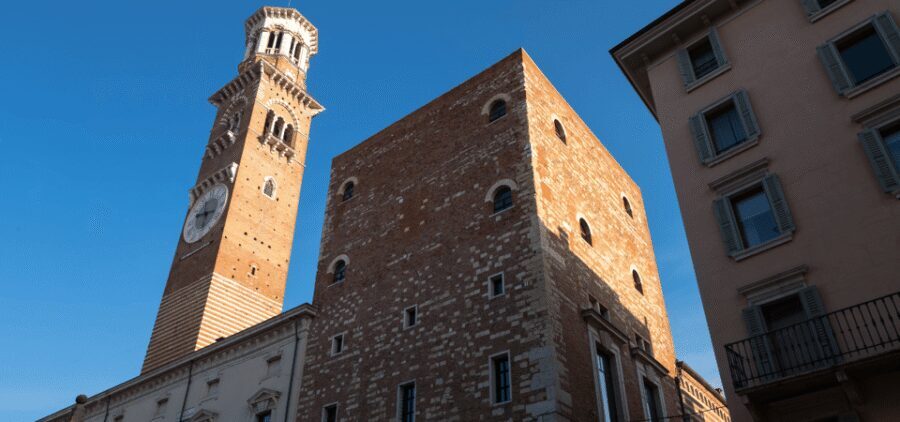
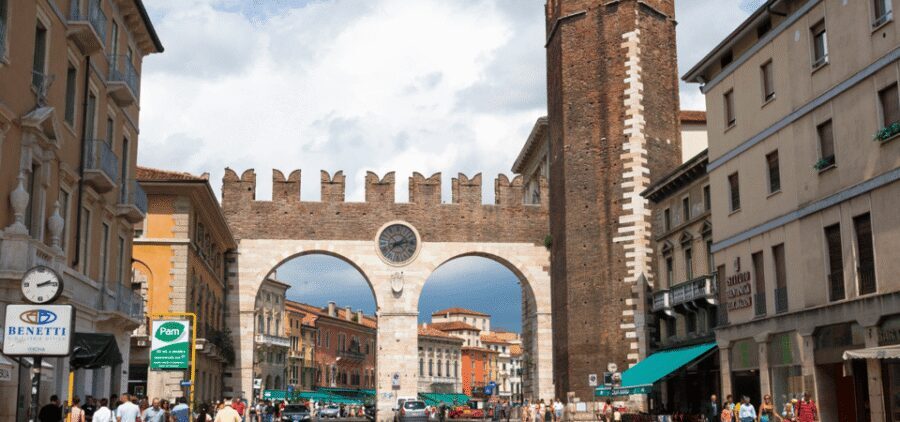
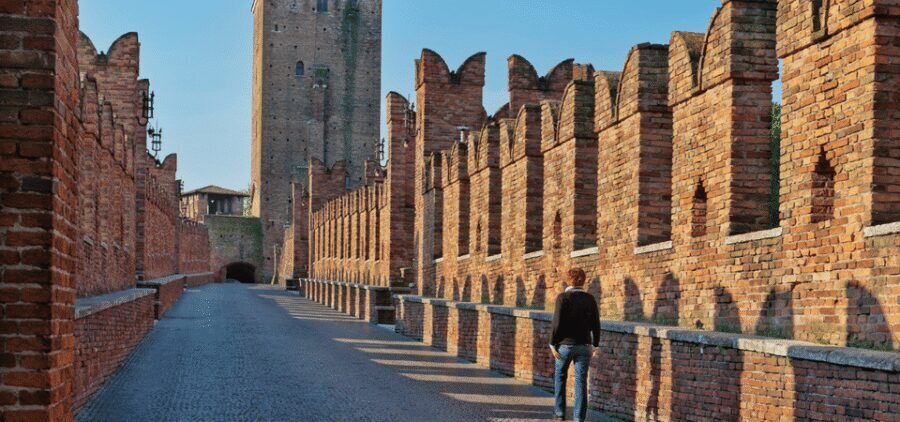
Another highlight is a tower stop for panoramic views and a glimpse into Verona’s skyline. Towers can be tricky on self-guided walks because they often involve stairs and a commitment to climbing—so the value here comes from choosing the right moment and using the narration to point your attention upward.
When you reach a tower view, the city stops being a list of monuments and becomes a map you can interpret. You’ll see the relationship between neighborhoods, rooftops, and the river area, which makes your earlier stops feel more connected.
This is also one of those places where you benefit from the app’s pacing. Since the narration points play automatically as you go, you don’t lose the thread while you adjust your grip on your phone or pause to scan for the best angle.
Watch-out: you’ll want stable footwear. The tour is designed for walking, and towers add extra uneven steps and crowds. Bring comfortable shoes, because you’ll feel every step once you commit to the climb.
How the app experience works (and how to avoid the common headaches)

This tour lives and dies by your phone setup. Before you start, you’ll check your email for instructions and access credentials, then download the tour using Wi‑Fi. After that, you launch the tour at the starting location, and the route audio begins.
You can start, stop, replay, or rewind audio at any time, which is great when you want to read a plaque, take a photo, or simply hear a point again. It also means the tour doesn’t punish you for stopping too long, as long as you’re still walking the route.
Here’s the big practical advice I’d give you based on real-world usage patterns:
- Bring headphones, because the audio is a key part of the experience.
- Expect battery drain and plan for it. A power bank is a smart travel move.
- Use Wi‑Fi to download first, so you’re not scrambling in the middle of a crowded square.
If it’s raining, the app setup becomes more critical. The experience is self-guided, and there’s no in-person guide included, so you want your tech to be ready before you step into wet streets.
Timing and pacing: how 3 hours can feel full (not frantic)

The tour duration is listed as 3 hours, and that’s a workable window for Verona if you keep the priorities straight. You’ll want to think of this as a highlights walk with narration, not a slow wandering day.
Because there are 20+ audio narration points, the tour is designed to keep you moving through key areas without constant decisions. Still, your pace matters. The best way to make 3 hours feel great is to avoid over-planning afterward. Give yourself a little breathing room for a gelato, a short break, and one last street photo.
Also, since this is marked as a private group, you won’t be dragged along by strangers in the way you sometimes feel on group tours. The tour is still self-guided, but the listing style reflects that you’re not stuck sharing the experience with a mass crowd.
Price and value: is $9 actually a bargain?

At $9 per person, this tour is priced like an entry-level way to get guidance without paying for a full guided day. The value comes from what you get included: access to the app tour, narration points, and directions to major locations and quieter spots.
What you don’t get included is equally important. Entry fees are not part of the price, and there’s no in-person guide. If you plan to enter attractions that charge tickets, you’ll need to add that cost. If you’re mostly doing exterior sightseeing and viewpoints, the $9 fee can feel like a low-risk way to improve your visit.
Also consider the languages. Audio is offered in English, German, Spanish, French, Italian, Chinese, which is not always common at this price. If you’re traveling with someone whose language needs are strict, that matters.
My bottom line: at $9, the tour is a great “structure tool.” It helps you see Verona’s highlights in a short window and makes your time feel less random.
Who this Verona walk suits best
This is a smart pick if you want:
- A self-paced walk where you can pause and replay audio
- A route built around Verona’s signature moments: Arena, Juliet, viewpoints, and a skyline tower
- A budget-friendly way to get directions and context without joining a paid guide group
It’s less ideal if:
- You hate using apps while walking
- Your phone battery is unreliable
- You’re hoping for help on the spot if something goes wrong
In other words, if you’re comfortable traveling with a charged smartphone and headphones, you’ll get the most out of it.
Should you book this Verona app tour?
If your goal is to see Verona’s top sights in about 3 hours and you’re happy to guide yourself with narration, this is an easy yes. The price is low, the audio support is built-in, and the route covers the main Verona pillars: Roman grandeur, romance, and views.
If you’re worried about tech, plan for rain, or need an in-person person to smooth out problems fast, then you might feel the limitations more. In that case, consider whether you want more human backup for your day.
FAQ
How long is the Verona self-guided walking tour on the app?
It’s designed for about 3 hours.
What’s included in the $9 price?
You get access to the Verona self-guided walking tour in the Trippy Tour Guide app, including 20+ narration points, with directions and narration. Entry fees and an in-person guide are not included.
Which languages are available for the audio guide?
The audio is available in English, German, Spanish, French, Italian, and Chinese.
Do I need headphones and a charged phone?
Yes. You should bring headphones and a charged smartphone so you can listen as the stories play automatically.
How do I start the tour when I arrive in Verona?
Check your email for instructions and credentials to download the tour in the provider app. You’ll need a strong internet connection for those steps. Once you arrive at the starting location, launch the tour in the app and it will start.
Can I control the audio while I’m walking?
Yes. You can start, stop, replay, or rewind the audio as you like.